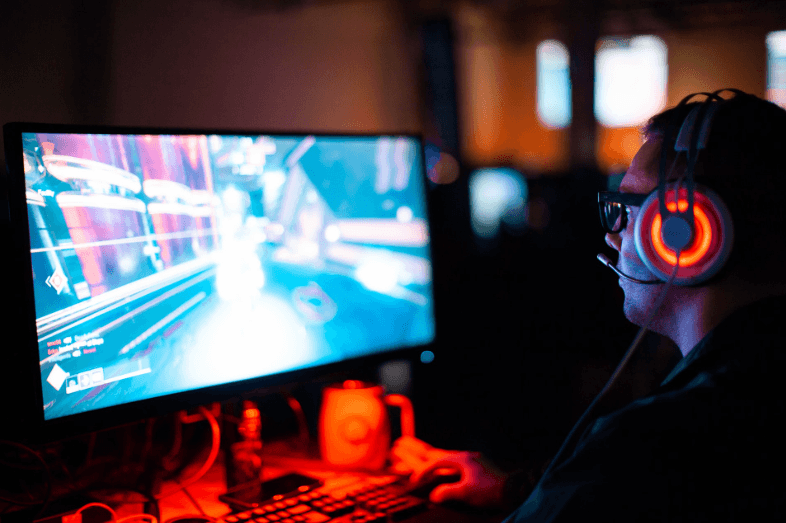
A well-designed digital game rarely begins with several pages of instructions. Instead, the screen itself starts explaining what matters. A large button suggests the first action, familiar symbols provide context, and small changes after each tap show whether the player is moving in the right direction. Good interfaces make learning feel like part of the game rather than a separate task that has to be completed before anything interesting happens.
This approach appears across mobile games, puzzle apps, card games, and platforms such as desi casino india, where players often meet several game formats inside the same digital environment. Each game may have its own rules, yet the interface still needs to communicate the basics quickly. Designers achieve that by combining visual hierarchy, familiar objects, timely feedback, and repeated interaction.
The Screen Shows Players Where to Start
First several seconds in a game are important because the player is determining what matters to him/her. It can be influenced by size, positioning, spacing, and contrast in the design. Primary actions are typically given more visual emphasis than secondary controls, and information that can be deferred is moved further away from the secondary controls. The player doesn’t have to think about these options. The layout is responsible for a lot of the work.
This is particularly helpful on a cell phone, as it has limited space and each adding extra factor competes for attention. One screen that has a clear starting action is more readable than one which has all controls appearing equally prominent. When the first action is clear, more can emerge when they become relevant. The interface thus introduces in increments rather than showing the whole system at once.
Familiar Symbols Reduce the Learning Time
When using visual ideas that they already know, digital games frequently use those concepts. Cards look like cards when they are played. Coins and chips are similar in nature to physical items. Arrows are used to indicate direction, the speaker icon is used for sound, and a gear typically signifies settings. These conventions allow players to transfer their skills and knowledge to a new game, even if they haven’t played through that one in particular.
Knowing the rules helps the designer to speak them without numerous explanations. When a set of cards is arranged in a straight line, it is likely that they are part of the same group. When a number next to a familiar symbol changes after a stimulus, the relationship between the stimulus and the response is more apparent. Designers are then able to save written instructions for things that can’t be communicated visually.
Feedback Shows What Each Action Does
Games are an amazing learning medium because they provide responses to actions. When a user presses a button, something should occur to the user that confirms the action to them that the machine received the action. The pressed button might look a bit differently, a number might refresh, a visual effect might be triggered, or a simple piece of text might state the result. The user is given feedback immediately which, linking the cause and the effect, makes it easy for players to learn the GUI without having to memorize the elements.
Several forms of feedback can work together:
- Buttons can change appearance after being selected.
- Numbers can update immediately after an action.
- Short animations can show where an item has moved.
- Brief labels can explain a new option at the moment it appears.
- Icons can mark completed steps or available choices.
These cues are most useful when they appear close to the action that caused them. The player can see what changed, connect it to the previous tap, and continue without leaving the main screen to consult a separate instruction page.
Small Prompts Work Best at the Right Moment
A short prompt becomes more useful when it arrives exactly when a player needs it. Showing every possible rule before the game begins can make basic information harder to remember. Contextual guidance takes another approach. A message appears when a new feature becomes available, when the player reaches an unfamiliar screen, or when a choice requires a little more explanation.
Timing also allows prompts to stay brief. Instead of describing five future actions in advance, the interface can explain the next one and let the player continue. When another unfamiliar element appears, another short explanation can take its place. This keeps information connected to the situation on screen and reduces the amount that needs to be remembered at once.
Repetition Turns New Actions Into Familiar Ones
Many game interactions become clear because they repeat. The same control appears in the same position, the same symbols keep their meaning, and similar actions receive similar feedback. After several rounds, the player no longer needs to think about where a control is located or what a particular icon represents. The interface becomes predictable in a useful way.
To be consistent on different screens matters a lot. If for instance, a button does one kind of action in one part of the game, changing its function radically in another part, is likely to disturb that habit. A good example of this is design, where maintaining the rules of layout as simple so that the user will not be confused in moving them from one screen to another through learning is a designer’s major benefit.
The Best Instructions Can Become Almost Invisible
An effective game interface does not remove written rules. Detailed instructions still matter when a player wants to check scoring, special conditions, or less common situations. What good design can do is reduce how often those instructions are needed during ordinary play. The most common actions become clear through layout, symbols, feedback, and repetition.
That method actually takes into account the way people typically learn digital items. They hit a few keys, see how it works, pick up the sequences, and slowly become acquainted with the controls. Getting only what you need to know, when you need it, makes it like you’re playing, rather than studying a book. Each move brings a little more understanding and intimacy with the activity.
